
Loxone Exosphere changelog
Alpha 2026.10.29-2
Features
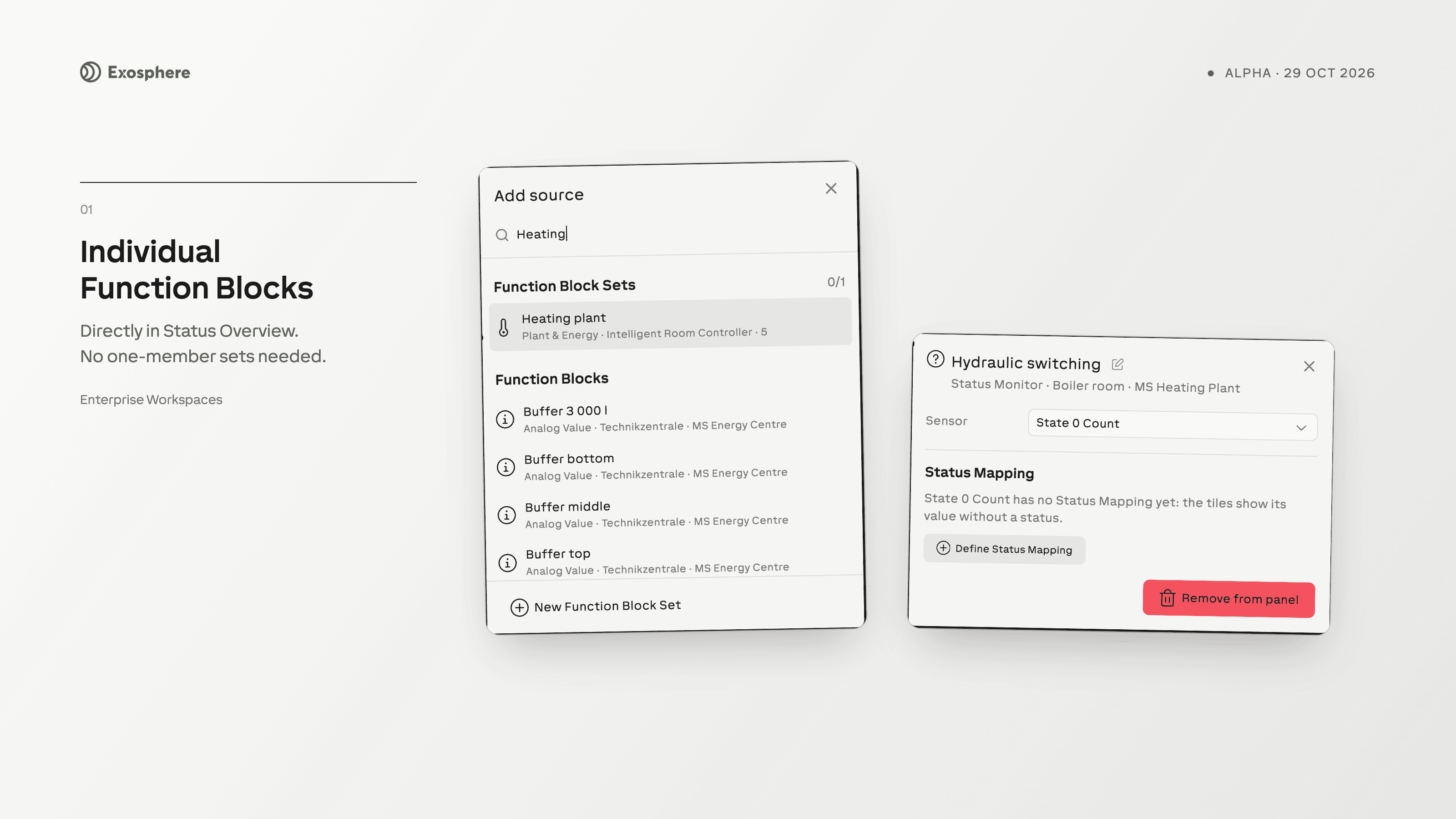
EXO-6959 — Add individual Function Blocks directly to Status Overview without creating a one-member Function Block Set. Configure each block’s Status Mapping once and reuse it across Status Overviews.
EXO-6769 — Organization owners can transfer eligible paid Miniserver licenses between Workspaces in the same Organization and plan. Review license coverage before confirming, and see completed transfers in Transfer history.
Improvements
EXO-3231 — Your personal Workspace is created automatically after your account’s email ownership is verified.
EXO-7198 — Delete your own task comments while you retain permission to edit the task. A confirmation protects against accidental deletion.
Bugfixes
EXO-7104, EXO-7119 — Unusable invitations show guidance without leaving the current page. Administrators can send a replacement invitation with explicit Site permissions when an older invitation can no longer be used; suspended access still requires Administrator restoration.
EXO-7121 — Reset Workspace can include alert rules, with the selected rules shown in its confirmation.
EXO-7171 — Navigation tours advance only when you choose the next step, so reading a tour no longer takes you away from My Inbox automatically.
EXO-7173 — Starter tasks use the language of the onboarding guide and no longer fill My Inbox with notifications from initial setup.
EXO-7097 — View-only Miniserver and Inbox Function Block panels close when you click elsewhere. Flow version history also supports outside clicks and Escape.
EXO-7197 — Changing a task column’s Completed setting updates the completion appearance of its active tasks, including after reloading.
EXO-7196 — English task-column deletion and clearing confirmations refer to the column being affected.
EXO-7199, EXO-7200 — Database schema errors identify the affected columns. Imported schemas are validated before replacing your draft, and a cancelled replacement keeps your chosen file.
EXO-7125 — The Miniserver page title and view controls fit on phones, while desktop firmware and update labels remain readable.
EXO-7132 — Notification policy controls reflow on narrow screens, keeping frequency, severity and policy tabs accessible.